
Password Hashing Best Practices: Parameters, Code, and Migration
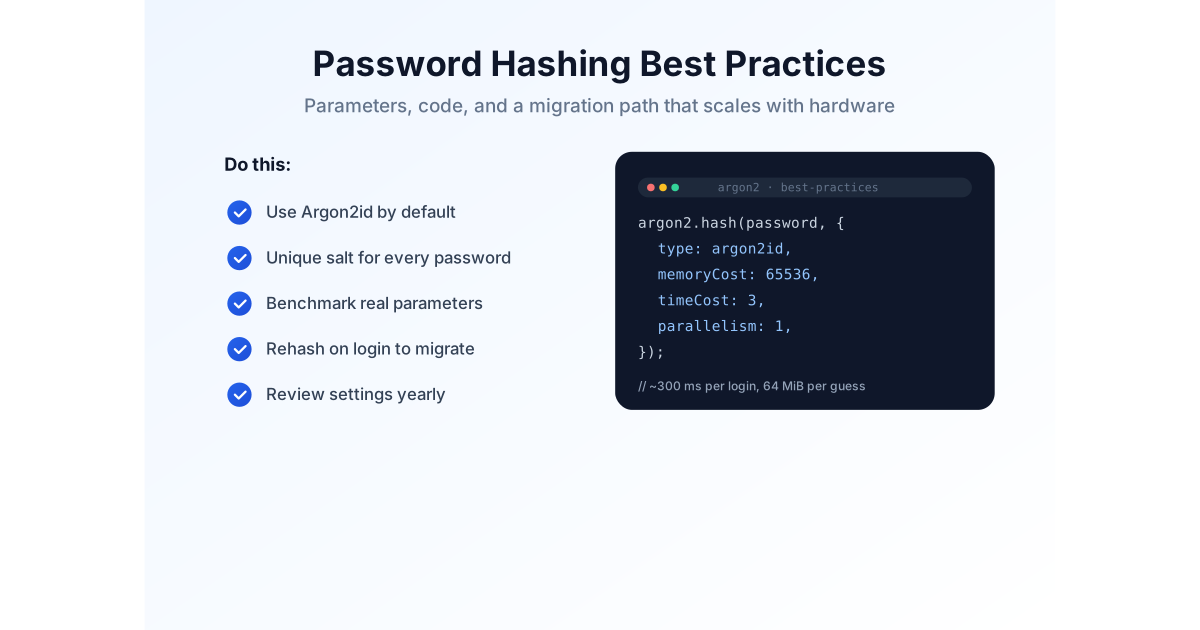
Choosing the right algorithm is only half the battle. The other half is configuring it properly, implementing it without foot-guns, and keeping it current as hardware gets faster. This guide gives you exact parameters, working code, and a migration strategy you can copy — no fluff.
If you haven't decided on an algorithm yet, read our Argon2id vs bcrypt vs scrypt vs PBKDF2 comparison first. For the concepts behind it all, start with password hashing explained.
Recommended Parameters in 2026
Parameters matter more than the algorithm name. An under-tuned Argon2id is weaker than a well-tuned bcrypt. Start from these values, then benchmark on your real production hardware — never copy numbers blindly.
| Algorithm | Starting parameters (2026) | Target latency |
|---|---|---|
| Argon2id | Memory 19–64 MiB, time cost 2–3, parallelism 1 | 250–500 ms |
| bcrypt | Cost factor 12–13 | 100–250 ms |
| scrypt | N = 2^17, r = 8, p = 1 (minimum) | 200–400 ms |
| PBKDF2 | HMAC-SHA-256, 600,000+ iterations | 200–400 ms |
Use our Argon2 Hash tool, Bcrypt Hash tool, scrypt Hash tool, or PBKDF2 Derivation tool to test what your hardware can sustain before you commit.
Argon2id in Practice
Node.js
import argon2 from "argon2";

const hash = await argon2.hash(password, {
    type: argon2.argon2id,
    memoryCost: 65536, // 64 MiB
    timeCost: 3,
    parallelism: 4,
});

const valid = await argon2.verify(hash, password);
Python
from argon2 import PasswordHasher

ph = PasswordHasher()

hashed = ph.hash(password)

ph.verify(hashed, password)
Both libraries generate a secure random salt automatically and embed the algorithm, parameters, and salt inside the returned hash string — no separate salt column needed.
Go
import "golang.org/x/crypto/argon2"

// salt must be 16+ random bytes, stored alongside the hash
hash := argon2.IDKey([]byte(password), salt, 3, 64*1024, 1, 32)
Go's API is lower-level: you generate and store the salt yourself, then encode the parameters together with the hash so future upgrades don't require a schema change.
bcrypt in Practice
import bcrypt from "bcrypt";

const hash = await bcrypt.hash(password, 12);

const valid = await bcrypt.compare(password, hash);
bcrypt embeds its salt and cost factor in the output, and the comparison function handles all of it. Just remember the 72-byte limit — if you must accept very long passphrases, pre-hash them with a fast function like SHA-256 first, and never silently truncate. If you're moving users toward long passphrases, our passwords vs passphrases guide covers the trade-offs.
Migrating From an Old Hash: Lazy Re-Hashing
Running an old scheme — unsalted SHA-256, MD5, or even bcrypt with a low cost? You don't need to force a mass password reset. The standard approach is lazy re-hashing:
- Keep verifying existing passwords against the old algorithm at login time.
- The moment a login succeeds, re-hash the password with your new algorithm and overwrite the stored hash.
- Over time, active users migrate naturally. For inactive accounts, force a reset after a grace period, or leave them under the legacy hash if it isn't critically broken.
This avoids the support burden of a mass reset while steadily improving your security posture — and it costs almost nothing to implement up front.
Rolling Out a Hash Migration in Production
Lazy re-hashing is easy to write and surprisingly easy to deploy wrong. The risk isn't the hashing code — it's the silent failure modes. Here's a rollout order that has worked for real teams.
Start with a canary release
Turn lazy re-hashing on for a small slice of traffic first — a single backend instance or 1% of logins. Watch two things: latency and error rate. A migration that triples login latency at peak is a migration you need to re-benchmark, and you want to discover that at 1%, not 100%.
Instrument the rehash path
Log when a rehash fires, how long it takes, and whether verification still succeeds. If a user's password rehashes on every single login — a sign your "already migrated" flag is being read incorrectly — you'll see it in the metrics instead of hearing about it from an annoyed user.
Plan for long-lived sessions and token refresh
Rehashing on interactive login covers most users, but API clients and remembered sessions may not touch the password path for months. Budget for them: rehash opportunistically on token refresh too, and for accounts dormant past a grace period, either force a reset or accept that they stay on the legacy hash until they return.
Keep a rollback plan
Keep the old verify path around for a few release cycles instead of deleting it the day you ship the new one. A legacy column you remove in a later sprint is cheap insurance; removing it on day one turns a two-week migration into an overnight incident.
A Deeper Layer: Pepper and HMAC Wrapping
Salts stop rainbow tables and identical hashes, but they don't help much if an attacker has the entire database — which, in a full leak, they do. A pepper is a secret, application-wide value stored outside the database, in an environment variable or secrets manager, that is mixed into each hash. If the database leaks but the pepper doesn't, attackers have nothing useful to brute-force against.
Two common implementations:
- As a second input to the KDF — Argon2id has a built-in secret parameter, and bcrypt can be combined with an appended key. Library support varies, so check your docs.
- As an HMAC key — HMAC the password with the pepper first, then feed the result to the hash function. HMAC-SHA-256 with the pepper as the key is a fast, standard building block.
Peppers come with real costs, so think before adding one:
- Reset flows get harder. Any flow that needs to re-derive a user's hash — password reset tokens, audit features — now requires the pepper to be present at validation time.
- Rotation is painful. Rotate the pepper and every existing hash becomes unrecoverable. You either keep a versioned key list or force a full re-hash.
- Losing it is catastrophic. A pepper that disappears from your secrets manager means nobody can log in ever again.
For most applications, a properly tuned KDF with unique salts is sufficient. Treat a pepper as defense-in-depth for high-value or highly targeted systems, not a default requirement.
Common Mistakes That Undo Good Hashing
Hashing with SHA-256 (or MD5, or SHA-1) "with a salt"
Adding a salt to a fast hash doesn't fix its speed. Dedicated password hashing algorithms exist for a reason — use them.
Setting parameters too low to keep login fast
A hash that completes in milliseconds isn't a performance win; it's a gift to attackers. Tune against realistic load testing, not gut feeling.
Storing the pepper next to the hash
A pepper only helps if it's separated from the database — in an environment variable or secrets manager. In the same table, it's worthless.
Silently truncating long passwords
bcrypt's 72-byte limit is the classic trap. Confirm your library's maximum input length and handle longer passwords deliberately.
Copying parameters without benchmarking
Numbers from a blog post are a starting point, not a config. Measure latency and memory under load on the servers you'll actually run.
Assuming "we'll upgrade later"
Lazy re-hashing costs a few lines of code now and saves a migration project later. Build the hook in from day one.
Password Hashing Best Practices Checklist
- Use Argon2id for new applications whenever possible.
- Generate a unique, cryptographically secure salt for every password.
- Benchmark production hardware before locking in work factors.
- Store the complete encoded hash — algorithm, parameters, and salt included.
- Use the constant-time comparison provided by your hashing library.
- Keep a server-side pepper in a separate secrets store for defense-in-depth.
- Review and raise parameters annually as hardware evolves.
Password hashing is one layer of a secure authentication system. Pair it with a sane password policy — ours is built into the Password Policy tool — and check for exposed credentials with the Breach Checker. And if the worst has already happened, our post-breach checklist walks you through containment, disclosure, and recovery.
Frequently Asked Questions
What are the recommended Argon2id parameters in 2026?
OWASP's minimum is 19 MiB memory, 2 iterations, and parallelism of 1. Most teams prefer a more comfortable margin like 64 MiB, 3 iterations, and parallelism of 1. Benchmark on production hardware and target roughly 250–500 ms per login.
What bcrypt cost factor should I use?
Cost 12 is a sensible 2026 minimum for most applications; 13 is better if your servers absorb the latency. Each step doubles the work, so benchmark before committing.
How do I migrate from an old hash without forcing resets?
Use lazy re-hashing: verify against the old algorithm at login, then immediately re-hash with the new one and overwrite the stored value. Users migrate naturally as they log in.
What is the difference between a salt and a pepper?
A salt is unique per user, stored with the hash, and stops rainbow tables. A pepper is a secret stored separately from the database that adds defense-in-depth if the database leaks.
Should I store the salt separately?
Usually not. Modern libraries embed the algorithm, parameters, and salt in the encoded hash string, so store the string in one column and let verify parse it.
Final Thoughts
Get the algorithm right, tune it against real hardware, and build a lazy re-hash path for the future. That disciplined approach protects your users far better than any single algorithm name.
Still deciding between algorithms? Revisit the head-to-head comparison, or brush up on the fundamentals. And to keep the whole credential lifecycle healthy, generate strong passwords with the Password Generator and verify them with the Strength Checker.